

Hey there! If you're here, chances are you're looking into upgrading your server rack cabinet enclosure. Well, you've come to the right place. I'm from a Server Rack Cabinet Enclosure supplier, and I'm gonna share some tips and tricks on how to go about this upgrade.

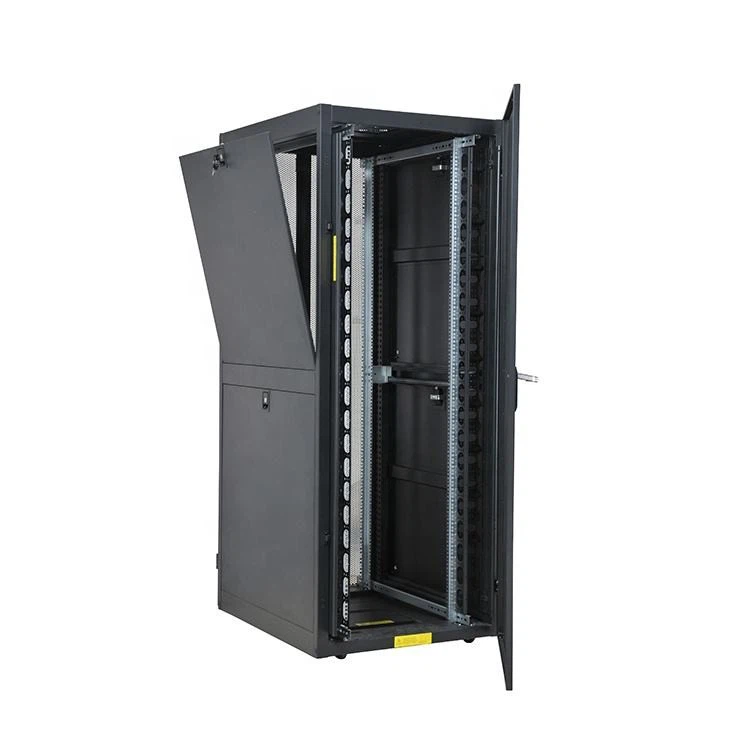
First off, let's talk about why you might want to upgrade your server rack cabinet enclosure. Over time, your server needs can change. Maybe you've added more servers, or you need better cooling and cable management. Upgrading can help you optimize your server setup, improve performance, and even save energy.
Assessing Your Current Setup
The first step in upgrading your server rack cabinet enclosure is to take a good look at your current setup. You need to figure out what's working and what's not. Check the size of your current cabinet. Is it big enough to accommodate your existing servers and any future expansions? If not, you might need to go for a larger cabinet.
You should also look at the cooling system. If your servers are overheating, it could be a sign that your current cooling setup isn't sufficient. Check the fans, vents, and any other cooling components. Are they working properly? Do you need to add more cooling devices?
Cable management is another important aspect. A messy cable setup can not only make it difficult to access and maintain your servers but also affect the airflow. Look at how your cables are routed and if there are any signs of damage or wear.
Choosing the Right Server Rack Cabinet Enclosure
Once you've assessed your current setup, it's time to choose the right server rack cabinet enclosure for your needs. There are several factors to consider here.
Size and Capacity
The size of the cabinet is crucial. You need to make sure it can hold all your servers and other equipment. Consider the height, width, and depth of the cabinet. Most server racks are measured in rack units (U). A standard 19‑inch Server Rack Cabinet [/metal-cabinet/server-cabinet/19-inch-server-rack-cabinet.html] is a popular choice as it can accommodate a wide range of servers and equipment.
Think about your future growth as well. If you plan to add more servers in the future, it's better to choose a cabinet with some extra space.
Cooling and Ventilation
Proper cooling is essential for the longevity and performance of your servers. Look for a cabinet with good ventilation. It should have enough vents and fans to ensure proper airflow. Some cabinets come with built-in cooling systems, such as air conditioners or liquid cooling units. These can be a great option if you have a high-density server setup.
Cable Management
As mentioned earlier, cable management is important. Look for a cabinet that has features like cable trays, cable management arms, and grommets. These can help you keep your cables organized and prevent them from getting tangled.
Security
Security is another important consideration. Your server rack cabinet should have locks to prevent unauthorized access. Some cabinets also come with additional security features, such as biometric locks or access control systems.
Installation and Setup
Once you've chosen the right server rack cabinet enclosure, it's time to install and set it up. This can be a bit of a tricky process, so it's important to follow the manufacturer's instructions carefully.
Preparation
Before you start the installation, make sure you have all the necessary tools and equipment. You'll need things like screwdrivers, wrenches, and a level. Clear the area where you're going to install the cabinet and make sure the floor is level.
Assembly
Most server rack cabinets come in parts and need to be assembled. Follow the assembly instructions step by step. Make sure all the parts are properly aligned and tightened.
Mounting Your Servers
Once the cabinet is assembled, it's time to mount your servers. Use the appropriate mounting brackets and screws to secure the servers in place. Make sure the servers are properly aligned and level.
Cable Installation
After mounting the servers, it's time to install the cables. Use the cable management features of the cabinet to route the cables neatly. Label the cables to make it easier to identify them in the future.
Testing and Maintenance
Once you've installed and set up your new server rack cabinet enclosure, it's important to test it to make sure everything is working properly. Check the power supply, the cooling system, and the network connections. Make sure all your servers are functioning correctly.
Regular maintenance is also crucial to keep your server rack cabinet enclosure in good condition. Clean the cabinet regularly to remove dust and debris. Check the fans and other cooling components to make sure they're working properly. Inspect the cables for any signs of damage or wear.
Conclusion
Upgrading your server rack cabinet enclosure can be a great way to improve the performance and efficiency of your server setup. By following the steps outlined in this blog, you can choose the right cabinet, install it properly, and maintain it for years to come.
If you're interested in purchasing a Server Rack Cabinet Enclosure [/metal-cabinet/server-cabinet/server-rack-cabinet-enclosure.html] or Network Server Cabinets [/metal-cabinet/server-cabinet/network-server-cabinets.html], feel free to reach out to us. We're here to help you find the best solution for your needs. Whether you have questions about the product, need advice on installation, or want to discuss your specific requirements, don't hesitate to contact us. We look forward to working with you!
References
- General knowledge about server rack cabinet enclosures and their upgrades.
- Industry best practices for server rack installation and maintenance.