

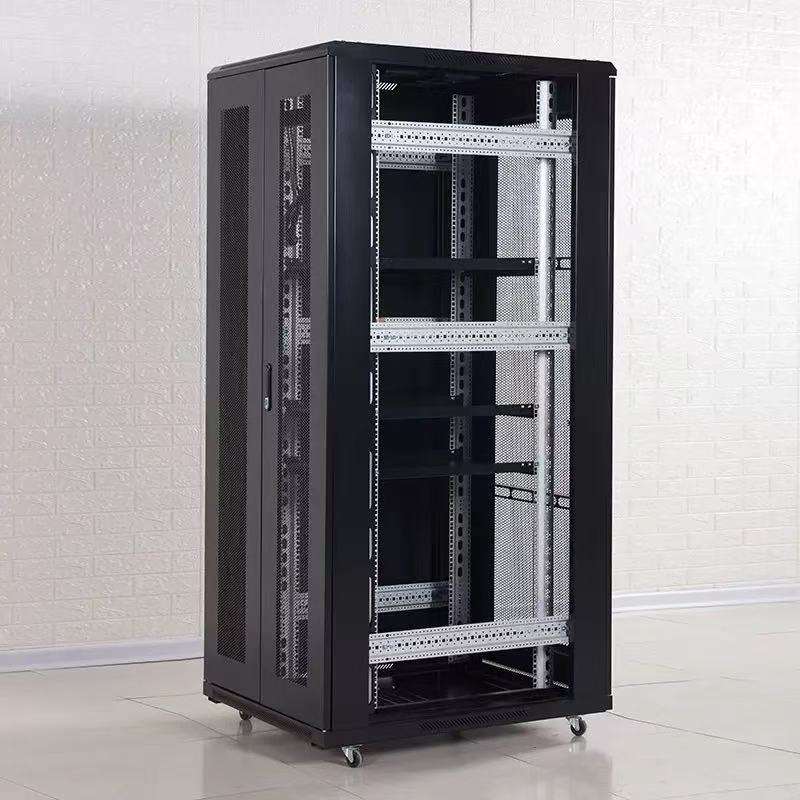
When setting up a data center or IT infrastructure, proper cable routing in a server rack cabinet enclosure is crucial. As a leading Server Rack Cabinet Enclosure supplier, we understand the significance of well - organized cable management. In this blog, we will explore various cable routing options in a server rack cabinet enclosure and how they can optimize your IT setup.
1. Vertical Cable Managers
Vertical cable managers are one of the most popular cable routing solutions. They are typically installed on the sides of the server rack cabinet. These managers have multiple channels or slots that allow you to neatly stack and organize cables. For instance, in a 42U Server RACK Cabinet, vertical cable managers can be used to route power cables, network cables, and fiber optic cables separately.
The benefits of using vertical cable managers are numerous. Firstly, they provide easy access to cables. When you need to add, remove, or troubleshoot a cable, you can quickly locate it. Secondly, they improve the airflow within the rack. By keeping cables organized and out of the way, air can circulate more freely, which helps in cooling the servers and other equipment. Thirdly, they enhance the overall aesthetics of the rack. A well - organized rack with neatly routed cables gives a professional and efficient look.
2. Horizontal Cable Managers
Horizontal cable managers are usually installed at the top, middle, or bottom of the server rack. They are used to manage cables as they move horizontally across the rack. For example, when connecting multiple servers in a 19‑inch Server Rack Cabinet, horizontal cable managers can be used to route the network cables from the patch panels to the servers.
These managers can be either open or closed designs. Open - style horizontal cable managers offer easy access to cables, which is useful for frequently changing or adding cables. Closed - style cable managers, on the other hand, provide better cable protection and can reduce the risk of cable damage from accidental bumps or snags.
3. Cable Trays
Cable trays are larger structures that can be used for routing multiple cables over longer distances within the server rack cabinet. They are often made of metal or plastic and can be installed either horizontally or vertically. Cable trays are suitable for routing thick bundles of cables, such as power distribution cables or large - scale network backbone cables.
In a complex Network Server Cabinets setup, cable trays can be used to route cables from the main power source or network switch to different sections of the rack. They provide a stable and organized way to manage a large number of cables, reducing the chance of cable tangling and making it easier to perform maintenance.
4. Cable Rings and Clips
Cable rings and clips are simple yet effective cable routing tools. They can be used to secure individual cables or small groups of cables to the rack structure. For example, you can use cable clips to attach power cables to the side rails of the rack, preventing them from hanging loose and getting in the way.
Cable rings are useful for bundling cables together. They can be adjusted to different sizes, allowing you to create neat cable bundles of various thicknesses. These small tools are inexpensive but can significantly improve the cable organization in your server rack cabinet.
5. Under - Rack Cable Management
In some cases, routing cables under the rack can be a practical option. This is especially useful for power cables or cables that need to be hidden from view. You can use under - rack cable trays or raceways to route cables from the floor to the rack.
Under - rack cable management can help in keeping the front and sides of the rack clean and uncluttered. It also reduces the risk of tripping over cables, which enhances the safety of the data center environment. However, it requires careful planning to ensure proper ventilation and easy access to the cables for maintenance.
6. Cable Management for Fiber Optic Cables
Fiber optic cables require special care in cable routing due to their sensitivity. When routing fiber optic cables in a server rack cabinet, it is important to use low - bend - radius cable managers. These managers are designed to prevent the fiber optic cables from being bent too sharply, which can cause signal loss.

In addition, fiber optic cables should be separated from power cables to avoid electromagnetic interference. You can use dedicated fiber optic cable trays or channels within the rack to ensure proper separation. Fiber optic splice enclosures can also be installed in the rack to protect the cable splices and connections.
7. Custom Cable Routing Solutions
Every data center or IT setup is unique, and sometimes standard cable routing options may not fully meet your needs. That's where Custom Server Cabinets come in. As a supplier, we offer custom cable routing solutions to fit your specific requirements.
We can design and manufacture server rack cabinets with custom - built cable management systems, such as specialized cable trays, channels, or combination units. These custom solutions can be tailored to the size, layout, and cable types used in your particular setup, ensuring optimal cable organization and performance.
8. Considerations for Cable Routing
When choosing a cable routing option for your server rack cabinet enclosure, several factors need to be considered.
Airflow
As mentioned earlier, proper airflow is essential for the cooling of the servers and other equipment in the rack. Cable routing should not obstruct the airflow paths. You should place cables in a way that allows air to flow freely through the rack.
Scalability
Your IT infrastructure is likely to grow over time. The cable routing solution you choose should be scalable, meaning it can accommodate additional cables as you add more servers or equipment to the rack.
Accessibility
Easy access to cables is crucial for maintenance and troubleshooting. The cable routing option should allow you to quickly locate and access individual cables without having to move a large number of other cables.
Cost
The cost of the cable routing solution is also an important consideration. You should balance the need for a high - quality, organized cable management system with your budget.
Contact Us for Procurement
If you are interested in our Server Rack Cabinet Enclosure and need professional advice on cable routing options or wish to discuss procurement, we are here to help. Our team of experts has extensive experience in the field and can provide you with the best solutions tailored to your specific needs.
References
- Network Cabling Installation Guide - Industry standard publication on cable routing in data centers.
- Server Rack Design and Management - Book discussing best practices for server rack setup and cable management.